You haven't signed in yet, you can have a better experience after signing in
*Please complete the payment within {{receiveCouponInfo.expire_at}}Previous use*
You haven't signed in yet, you can have a better experience after signing in



Activity Rules
1、Activity time:{{ info.groupon.start_at }} ~ {{ info.groupon.end_at }}。
1、Activity time:cease when sold out。
2、Validity period of the Group Buying:{{ info.groupon.expire_days * 24 }} hours。
3、Number of Group Buying:{{ info.groupon.need_count }}x。
Please Pay Attention
1、Teamwork process: Join/initiate a Group Buying and make a successful payment - Within the validity period, the number of team members meets the activity requirements - Group Buying succeeded!
2、If the number of participants cannot be met within the valid period, the group will fail, and the paid amount will be refunded in the original way.
3、The number of people required and the time of the event may vary among different products. Please pay attention to the rules of the event.
Serial Port Mapper
Map the serial port to another port name and swap the existing serial port.
Overview
The serial port mapper allows mapping hardware COM ports to any new port name. In other words, it allows renaming the serial port or assigning an alias to it.
Some serial communication applications can only use hard coded COM port names (usually COM1 or COM2). This type of application cannot access serial ports with other names. If you want communication applications to access other COM ports, a serial port mapper can solve this problem.
working principle
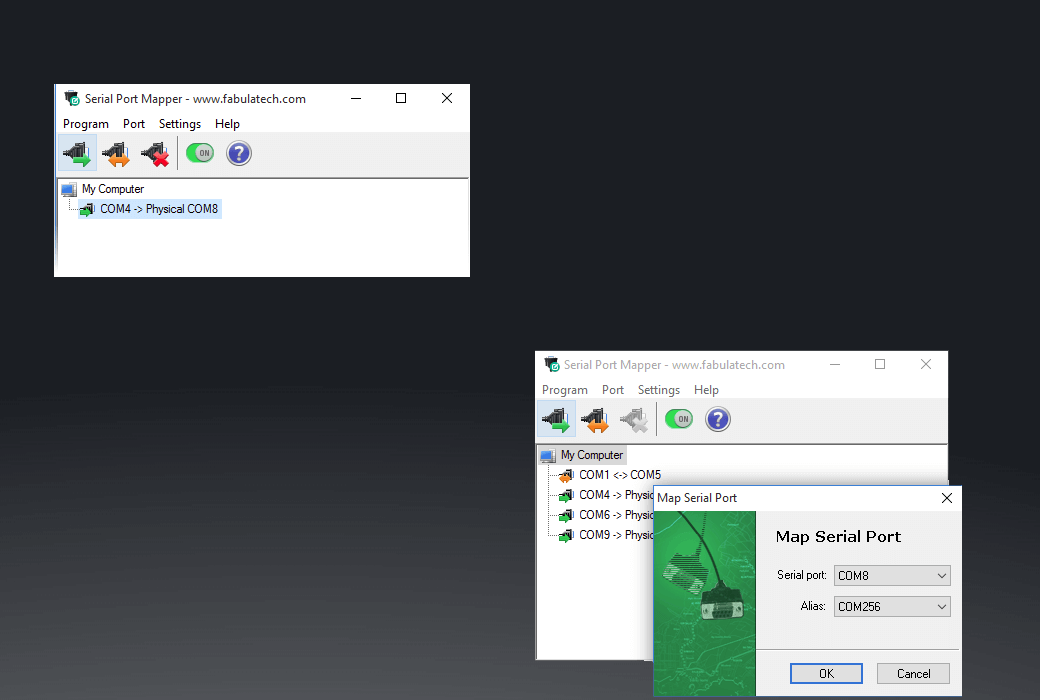
The serial port mapper can map existing physical serial ports to any alias you need. Once the program assigns a new name to the selected physical serial port (for example, assigning a COM1 alias to an existing COM8 serial port), the communication application can use the newly assigned name to open the desired physical serial port.
The serial port mapper redirects all data and signals of the hardware serial port to its alias. In this way, COM ports that were originally unable to be used for communication applications can be made available again and suitable for various work scenarios.
This program fully simulates the internal working principle of mapped COM ports. The serial application will open the serial port with a new name, but the actual work is done on the specified hardware COM port.
The serial port mapper can be controlled and configured through a command-line interface. It allows you to configure programs without using a graphical user interface.
The serial port mapper enables serial port aliases to be accessed at each system startup and before user login. You don't need to make any adjustments, everything is ready and available at any time.
Usage example
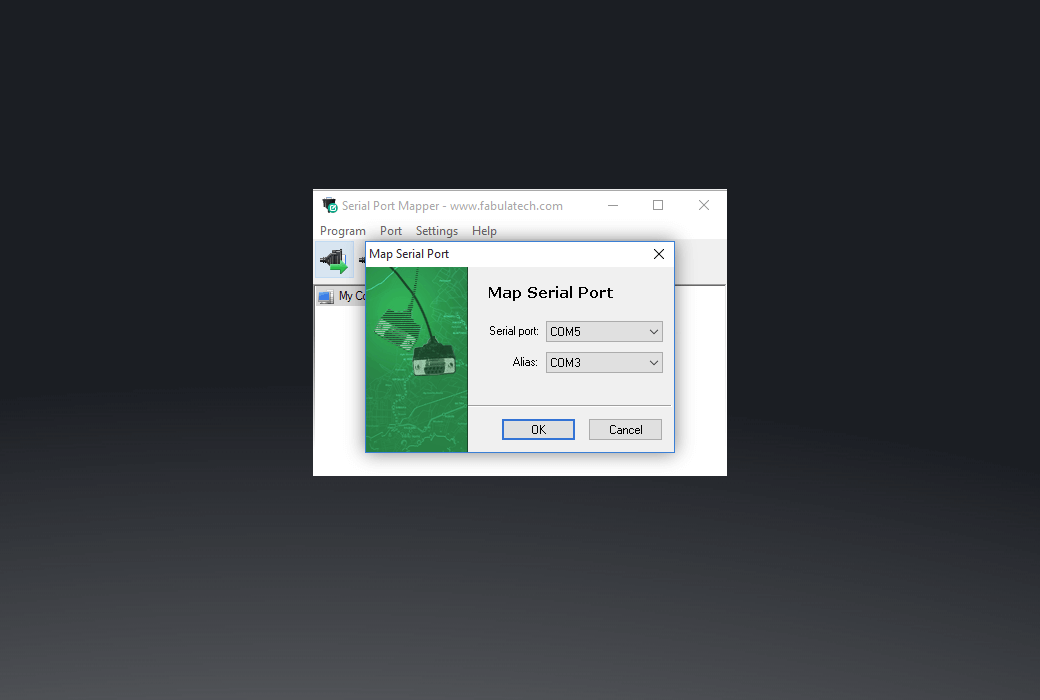
There is no serial port on your computer. To connect serial devices, a USB to serial adapter is required, which is displayed as COM5 in Windows systems. The old version serial communication application cannot open COM5 because only the names of COM1 to COM4 are hard coded.
With the help of a serial port mapper, you can map physical COM5 ports to COM3 aliases. Now, communication applications can open physical COM5 ports through COM3 aliases.
Official website:https://www.fabulatech.com/serial-port-mapper.html
Download Center:https://serial-port-mapper.apsgo.cn
Resource Download:https://www.fabulatech.com/serial-port-mapper-resources.html
Delivery time:Manual online processing
Operating Platform:Windows
Interface language:Supports English interface display and multiple language options.
Update Description:Lifetime license: After purchase, it supports 1-year updates and upgrades. After 1 year, the current version will stop updating, but this license will remain valid for this version.
Trial before purchase:7-day free trial.
How to receive goods:After purchase, the activation information will be sent to the email address at the time of placing the order, and the corresponding product activation code can be viewed in the personal center, My Orders.
Number of devices:According to the purchased authorization.
Replace computer:Uninstall the original computer and activate the new computer.
Activation guidance:To be added.
Special note:To be added.
reference material:https://www.usb-over-network.com/sales-faq.html

Any question